

What you’ll build
A two-way setup on a single Vobiz number:- Outbound - the Smallest AI agent places calls through your Vobiz outbound trunk.
- Inbound - calls to your Vobiz number route through an inbound trunk to the Smallest AI agent.
Architecture
Prerequisites
- Smallest AI account → Smallest AI dashboard
- Vobiz account → Vobiz Console
- A Vobiz phone number → see Buy a phone number
Part 1: Outbound calls
Step 1: Create a SIP credential in Vobiz
Smallest AI is cloud-hosted and calls out from addresses you cannot pin down in advance, so authenticate the trunk with a username and password rather than an IP allow-list. Go to Credentials List and click + Add Credential. Note the username and password - Vobiz stores the password hashed and does not display it again after creation. See Credentials List for the full walkthrough.Step 2: Create the outbound trunk
Go to Outbound Trunks and click + Create New Trunk. Attach the credential from Step 1 under Credentials.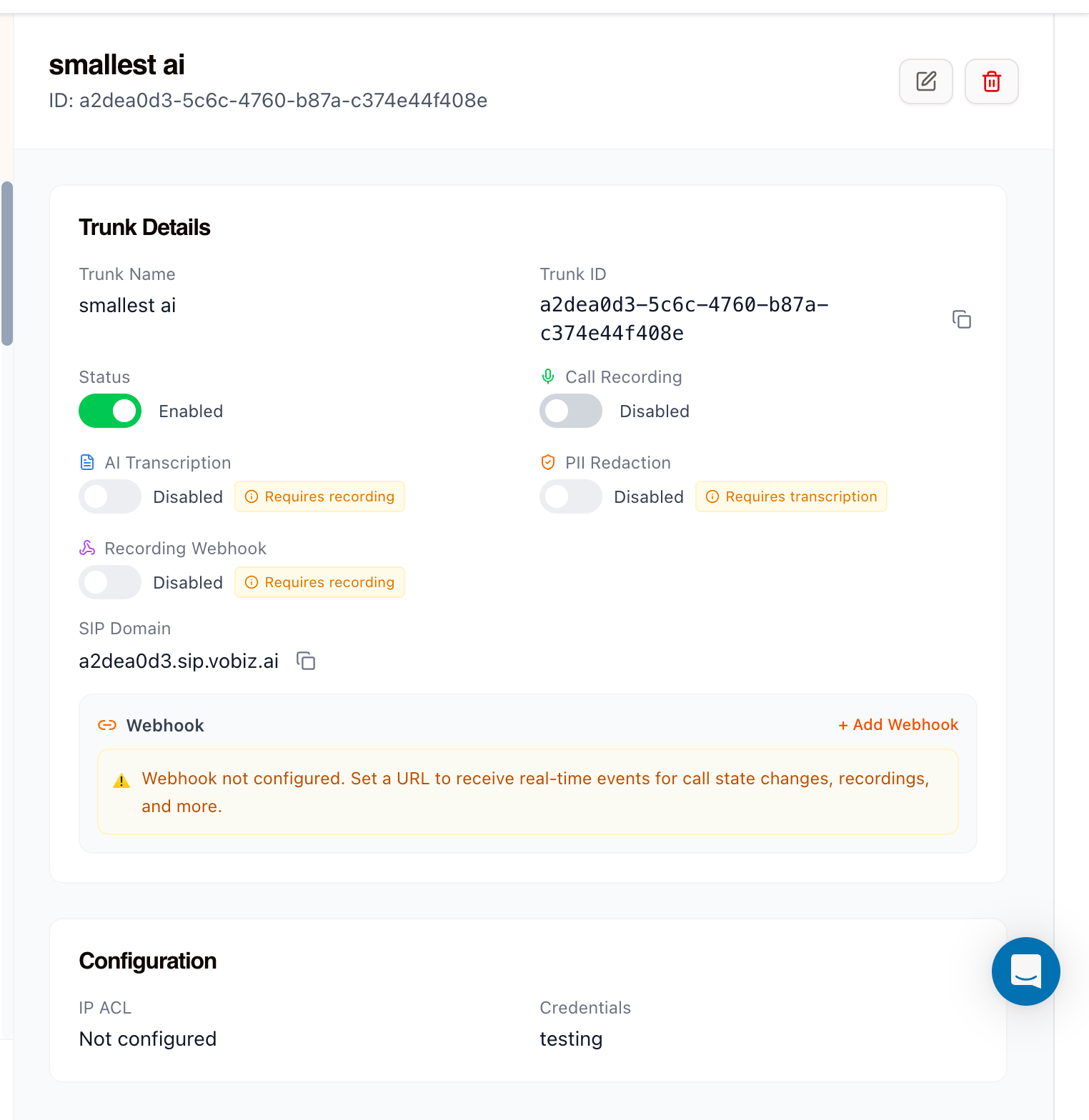
Step 3: Copy the SIP domain
The trunk details panel shows a SIP Domain in the form<trunk-id>.sip.vobiz.ai. Copy it - this is the SIP termination URL that Smallest AI sends outbound calls to. Each trunk gets its own domain and it is never shared.
Step 4: Import the number in Smallest AI
In the Smallest AI dashboard, open Phone Numbers, choose Add phone number, and select the SIP Trunking method rather than Rent a number.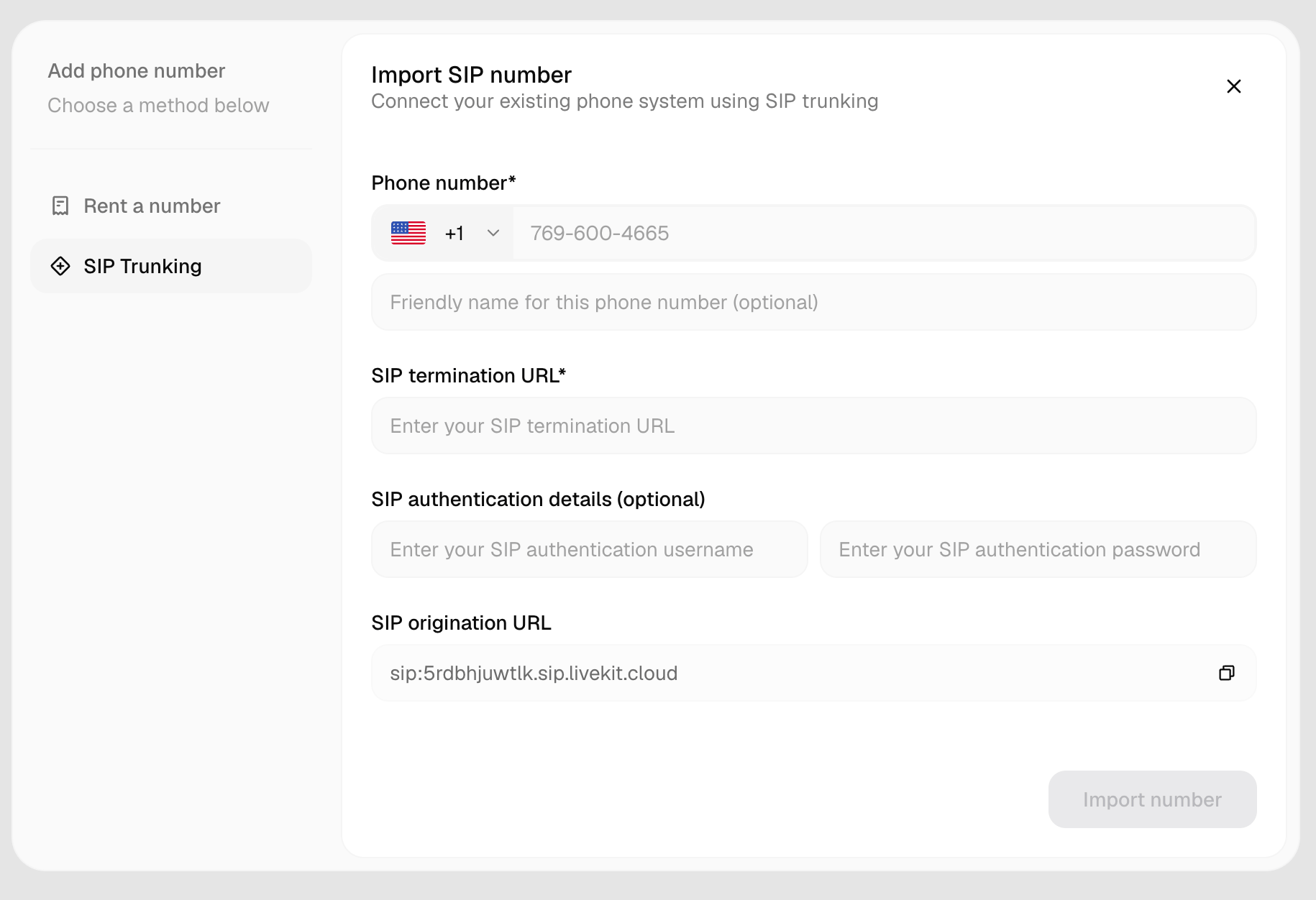
Although Smallest AI marks the authentication fields optional, this setup needs them - they are what the Vobiz trunk checks.
Click Import number. Outbound is now wired.
Part 2: Inbound calls
Step 5: Copy the SIP origination URL
The same Smallest AI dialog shows a read-only SIP origination URL, for examplesip:5rdbhjuwtlk.sip.livekit.cloud. Copy it with the icon on the right.
Step 6: Create the origination URI in Vobiz
Go to Origination URIs and create a URI pointing at the Smallest AI address.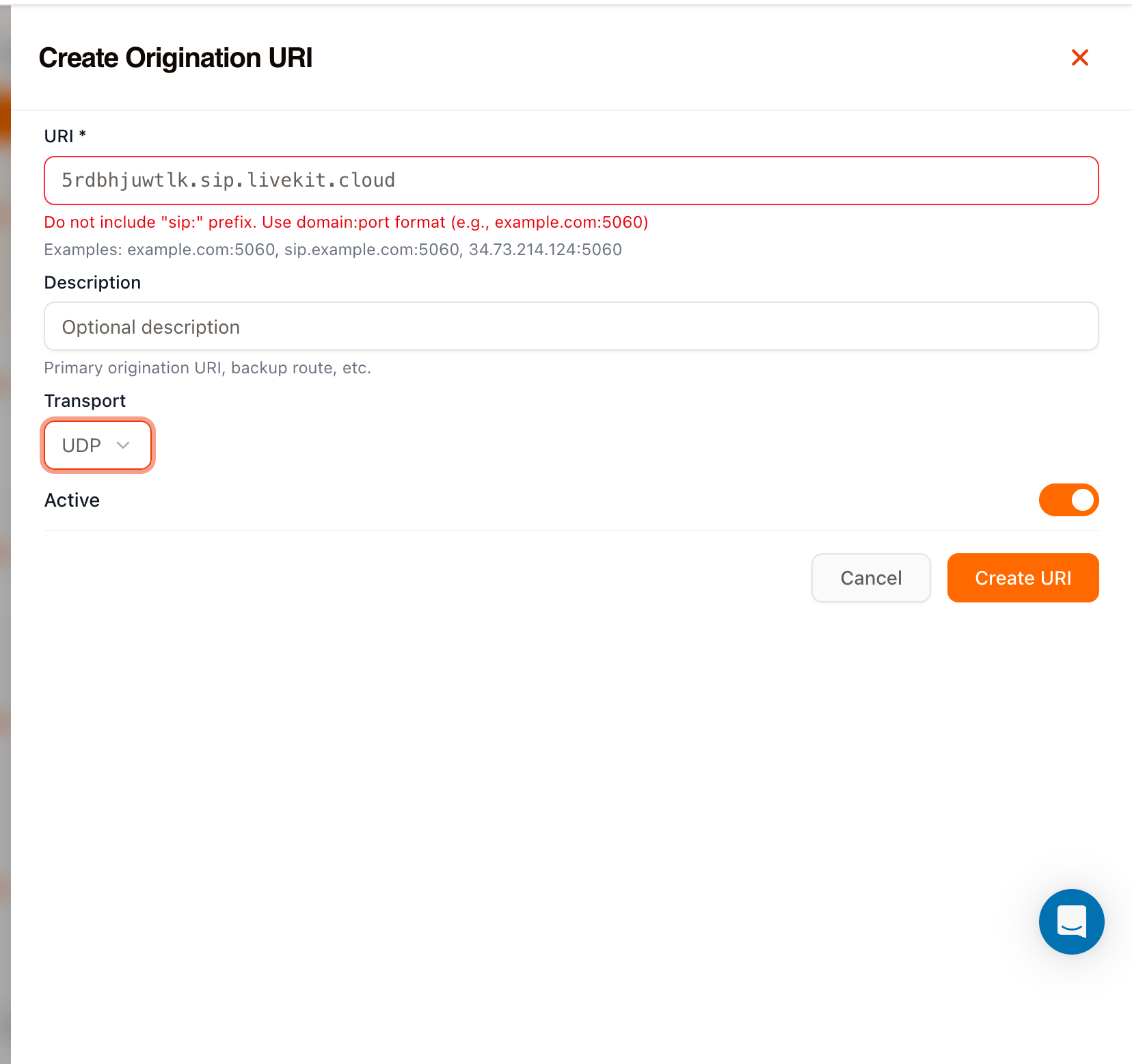
Step 7: Create the inbound trunk
Go to Inbound Trunks and create a trunk with the origination URI from Step 6 as its Primary URI.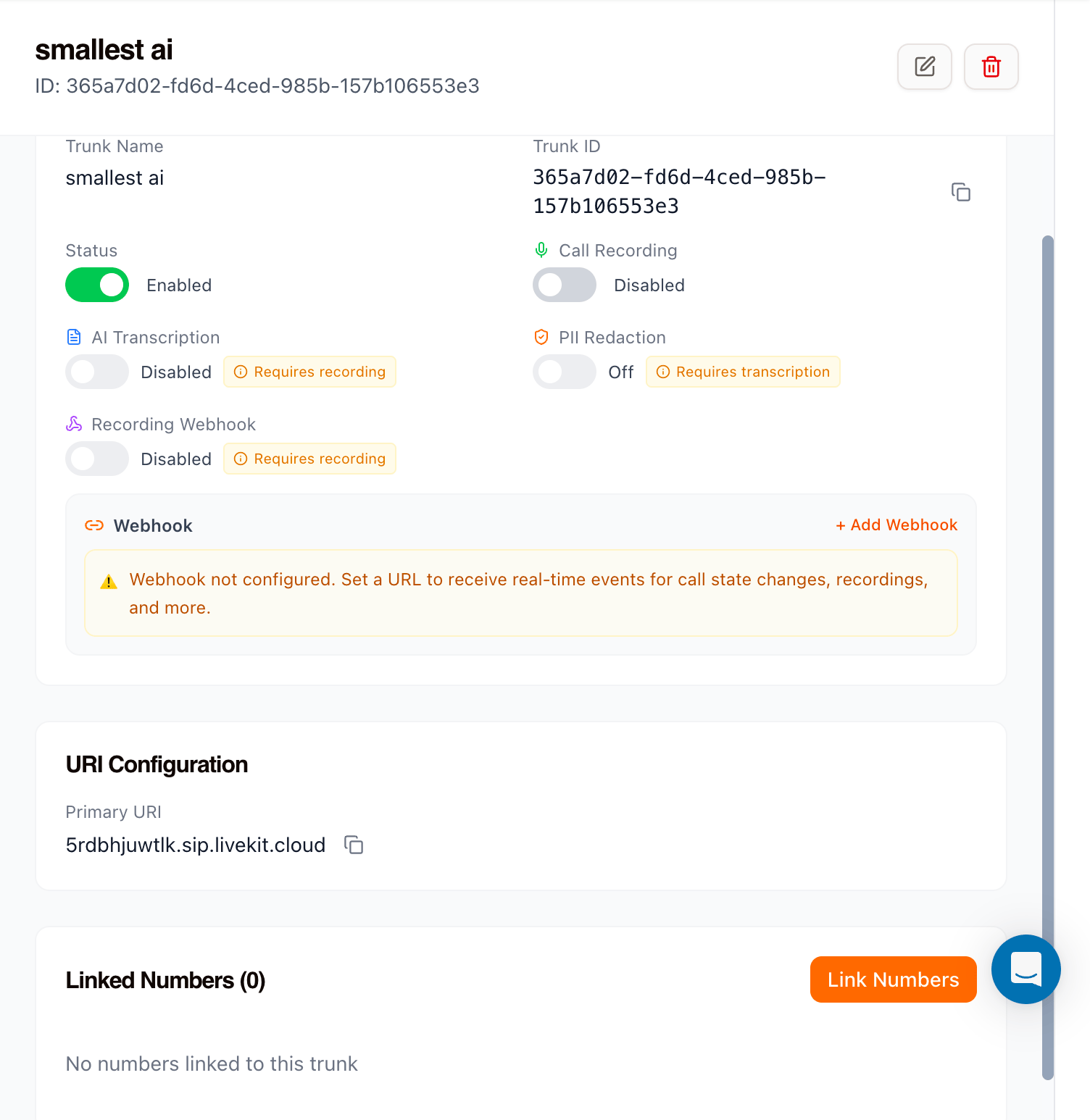
Step 8: Link the number to the trunk
A new trunk starts with Linked Numbers (0). Click Link Numbers, select your Vobiz number, and confirm.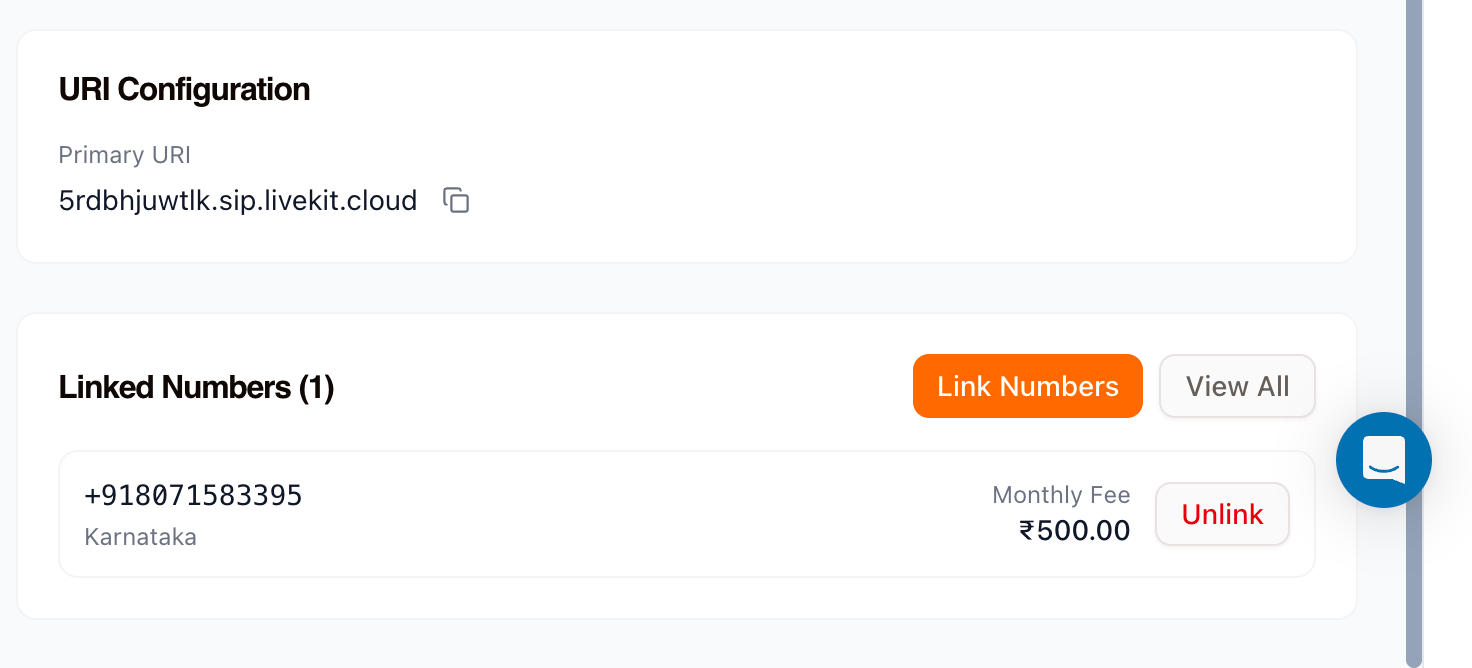
Test the integration
- Inbound - call your Vobiz number. The Smallest AI agent should answer.
- Outbound - trigger a call from Smallest AI to your own phone.
Troubleshooting
Outbound calls are rejected with a 401 or 403
The trunk is not accepting the credentials. Confirm the username and password in Smallest AI match the Vobiz credential exactly, and that the credential is attached to the outbound trunk and set to Active.Outbound calls do not reach Vobiz
Check the SIP termination URL is the trunk’s own SIP domain, in the form<trunk-id>.sip.vobiz.ai. Each trunk has a distinct domain.
The origination URI is rejected when saving
Remove thesip: prefix. The field takes domain or domain:port.
Inbound calls ring but never reach the agent
Open the inbound trunk and confirm the number appears under Linked Numbers and the trunk Status is Enabled.Next steps
Outbound Trunks
Trunk settings, recording, and webhooks
Credentials List
Create and rotate SIP credentials
Inbound Trunks
Route inbound calls to your agent
IP Whitelisting
Vobiz SIP signaling and RTP ranges