

What you’ll build
An inbound calling setup where someone dials your Vobiz number, Vobiz routes the call over TLS to xAI’s SIP endpoint, and the Grok agent handles the conversation.Architecture
Prerequisites
- xAI account with a voice agent → xAI console
- Vobiz account → Vobiz Console
- A Vobiz phone number you want the agent to answer on
Step 1: Add the number in xAI
In the xAI console, open your agent and add a new phone number. Select the Direct SIP tab rather than Twilio.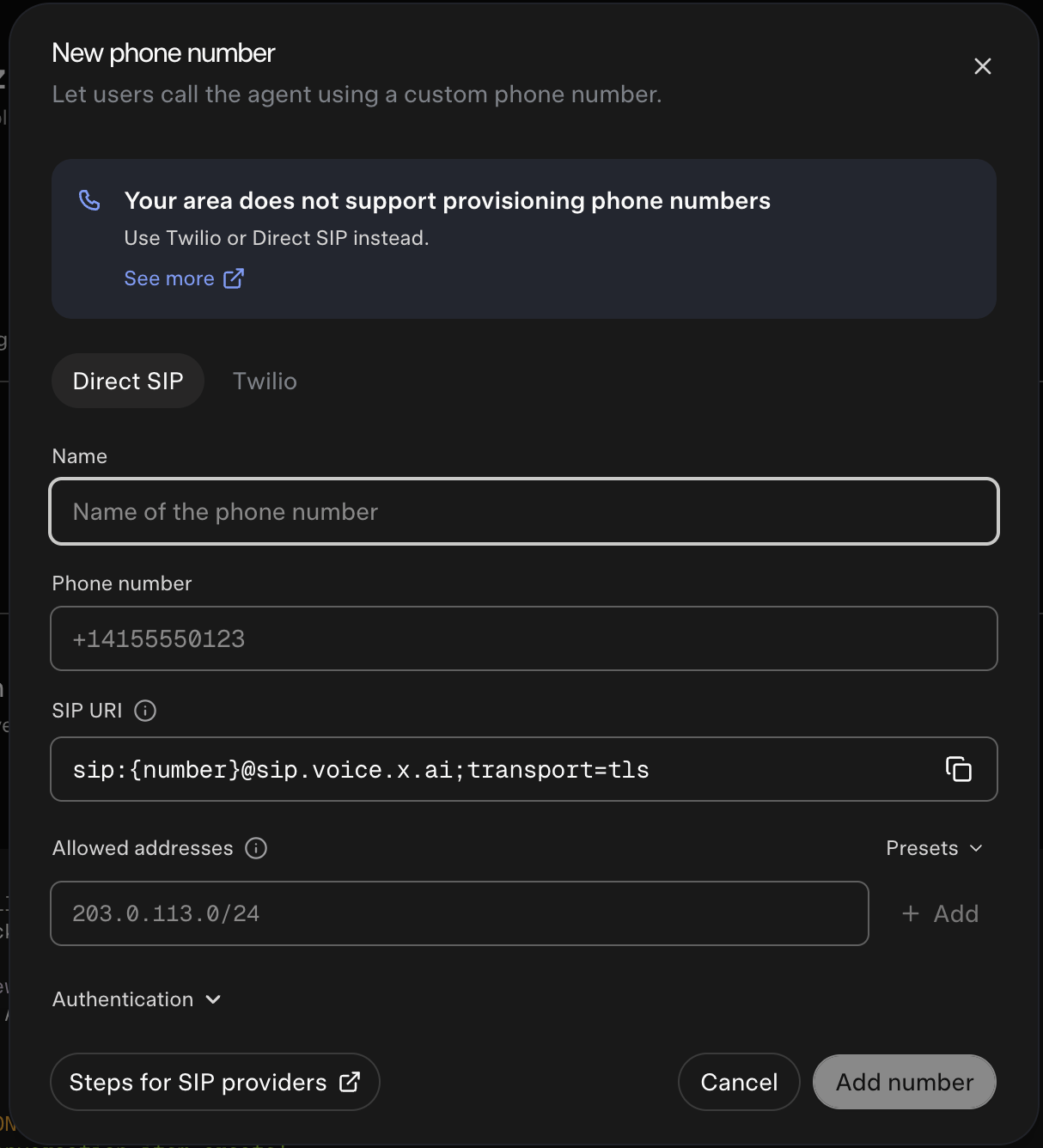
The SIP URI field shows
{number} as a template. xAI resolves it to the number you entered, so the address Vobiz sends to becomes +91XXXXXXXXXX@sip.voice.x.ai.
Allowed addresses
Allowed addresses controls which hosts xAI accepts SIP traffic from. Add the Vobiz SIP signaling IPs so calls from your trunk are accepted:Step 2: Create the origination URI in Vobiz
An origination URI is the SIP destination Vobiz routes inbound calls to. Navigate to Origination URIs and create one pointing at xAI.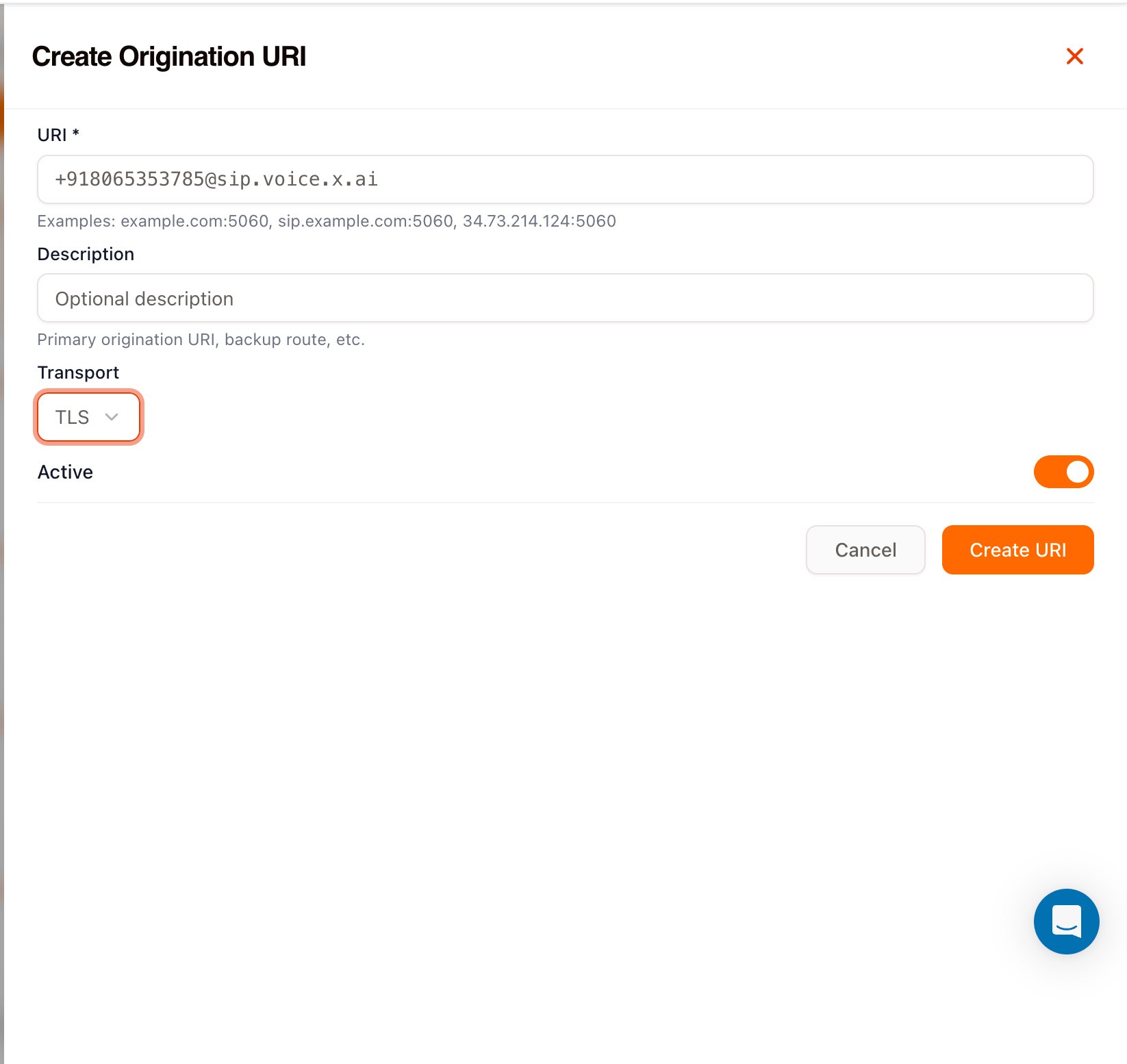
Use the same number here that you entered in xAI. The URI is what xAI matches the incoming call against.
Step 3: Create the inbound trunk
Navigate to Inbound Trunks and create a trunk that uses the origination URI from Step 2.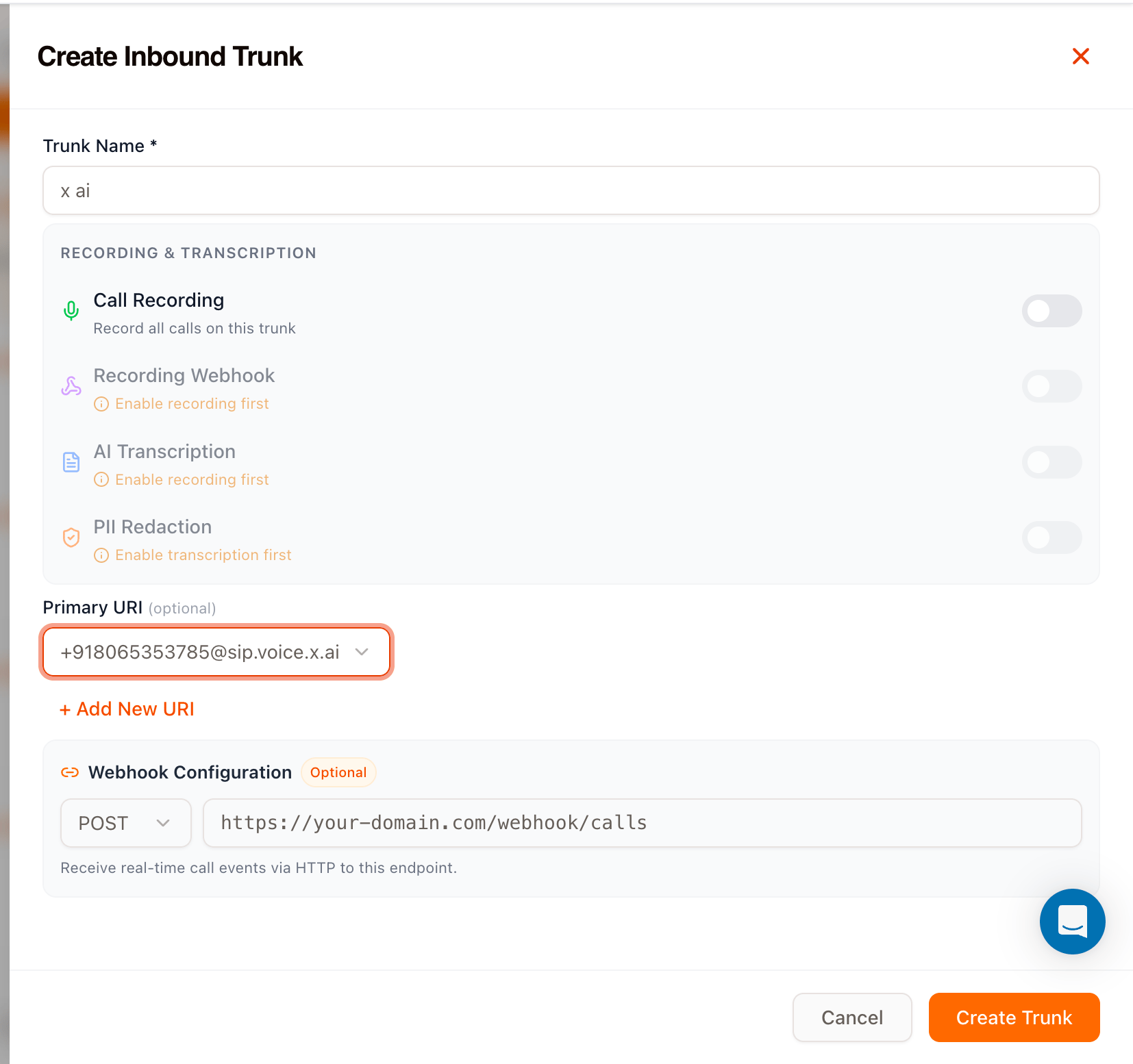
Two optional sections are available on the same screen:
- Recording & transcription - turn on call recording for this trunk, then optionally add a recording webhook, AI transcription, and PII redaction. Each depends on the one above it.
- Webhook configuration - set a URL to receive real-time call events over HTTP. See Callbacks for the event payloads.
Step 4: Link the number to the trunk
Open the trunk you just created and link your Vobiz number to it under Linked Numbers.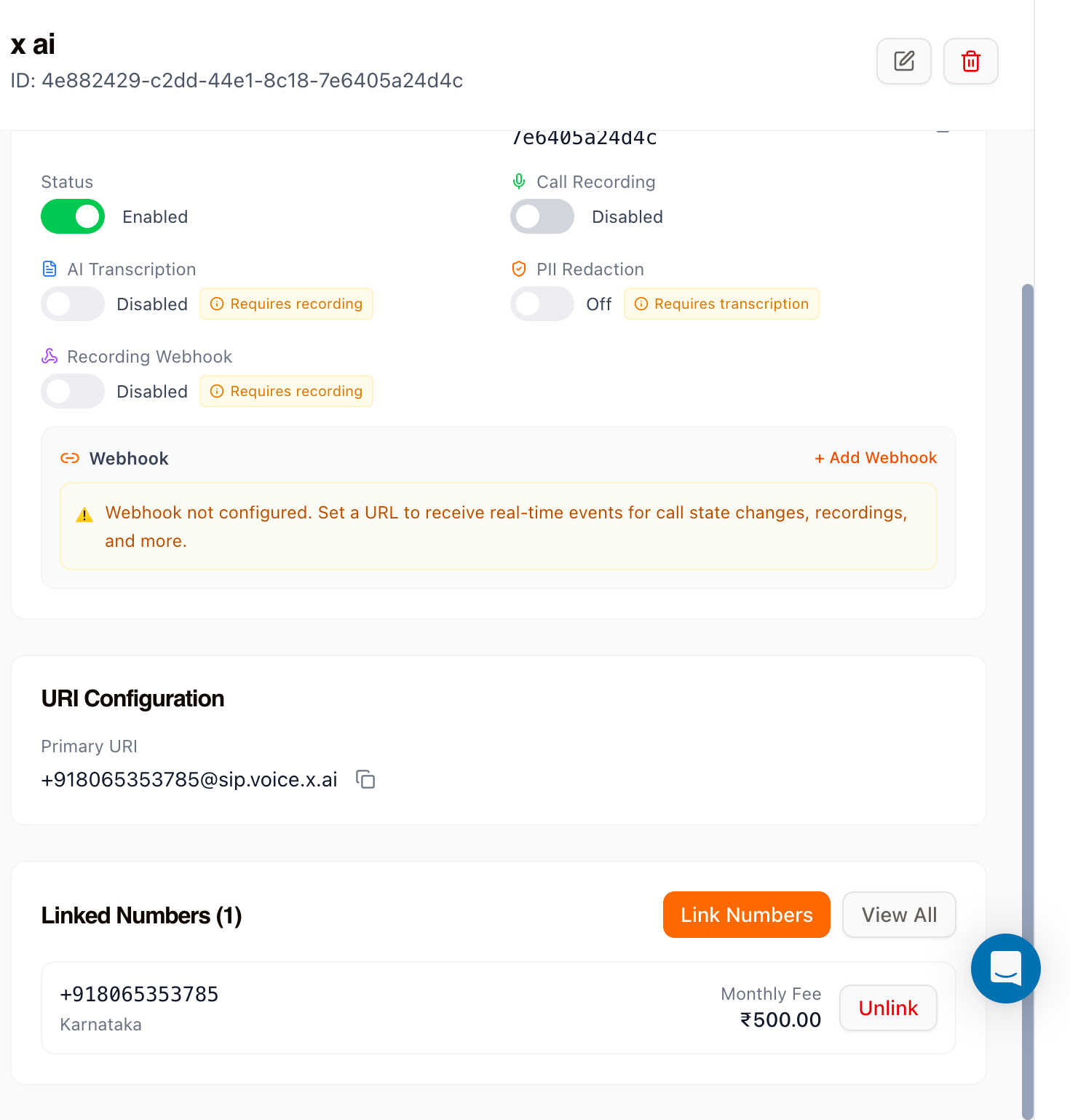
Step 5: Test the integration
Call your Vobiz number from any phone. The Grok agent should answer and begin the conversation.Troubleshooting
The call rings but the agent never answers
Check that the number in the Vobiz origination URI exactly matches the number configured in xAI, including the+ and country code.
The call fails immediately
Confirm the transport is TLS in both places -transport=tls in the xAI SIP URI and TLS on the Vobiz origination URI.
Calls are rejected by xAI
Verify the Vobiz SIP signaling IPs are present in the Allowed addresses list on the xAI number. See IP Whitelisting for the current list.The number is not reachable at all
Open the trunk and confirm Status is Enabled and the number appears under Linked Numbers.Next steps
IP Whitelisting
Full SIP signaling and RTP media IP ranges
Callbacks
Receive call events on your own endpoint
Call Recording
Record, retrieve, and download calls on this trunk
SIP Trunking
How Vobiz trunks route calls